
Google Pixel Buds
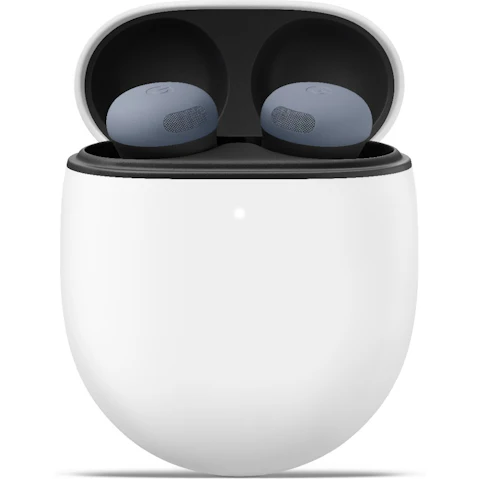
Looking for a new listening bud? Google Pixel Buds are packed with premium sound, Adaptive Audio, powerful Active Noise Cancellation and helpful Gemini features so you can dial down distractions and tune into your world. Whether you're streaming music or taking calls, discover Google Pixel Buds Pro 2 and Pixel Buds 2a at Harvey Norman.


Looking for Pixel Buds that won't miss a beat?
Our experts unpack the features to help you hit the right notes.
Hear us out >




Terms and conditions apply. See individual product pages for details.
Your Google Pixel Buds FAQs
Pixel Buds Are Ear for A Good Time!
Are Pixel Buds worth it?
If great sound is music to your ears, Google Pixel Buds are a sound choice. Powered by the Tensor A1 chip, they combine premium sound, Active Noise Cancellation and clever features designed for everyday listening.
Here's what makes the latest Google earbuds worth a listen:
- Active Noise Cancellation – Turns down the daily soundtrack of bus engines, busy platforms and chatty desk mates.
- Adaptive Audio – Exclusive to Pixel Buds Pro 2, it responds to the noise around you, helping you stay aware of your surroundings.
- Loud Noise Protection – Dampen sudden loud sounds for more comfortable listening with the Pro 2 model.
- Gemini – Get hands-free help, manage tasks and access compatible features settings using your voice.
- Comfortable Fit – A twist-to-adjust stabiliser and four ear-tip sizes make Pixel Buds secure and comfortable enough to wear all day.
Ready to hear what you've been missing? Explore the new Google Pixel Buds Pro 2 and 2a Series, plus even more headphones at Harvey Norman.
Which Google Pixel Buds are best?
There's more than one way to be a good bud! Pixel Buds Pro 2 and Pixel Buds 2a both pair immersive sound with smart features, but each strikes a different chord.
Let's tune into what sets these Google Pixel earbuds apart:
- Pixel Buds Pro 2 – Go Pro with improved Active Noise Cancellation that adapts to your environment and in-ear fit. The latest updates add Gemini voice controls, Pixel Watch sleep syncing and Enhanced Live Translate, while Olive brings a fresh new colour to the lineup.
- Pixel Buds 2a – A great everyday pick, these Google buds combine Active Noise Cancellation and hands-free Gemini help with a lightweight design and twist-to-adjust fit, giving you plenty of clever tech without stepping up to Pro.
Do Google Pixel Buds have noise cancelling?
Noise cancelling helps Pixel earbuds know which sounds are better left unheard. Pixel Buds Pro 2 and Pixel Buds 2a both feature Active Noise Cancellation, which uses microphones to detect noise and counter it with opposing sound waves - helping cut down unwanted background noise when you're commuting, working or simply switching off.
Pixel Buds Pro 2 take things further with Adaptive Audio, which automatically adjusts to your surroundings, balancing distractions with awareness of what's happening around you. Want to let more of the outside world in? Switch to Transparency mode to hear traffic, train announcements or conversations.
Are Google Pixel Buds comfortable to wear all day?
These wireless earbuds know how to fit in with a lightweight design, twist-to-adjust stabiliser and multiple ear tip sizes to help you find a secure, comfortable fit.
Compact and easy to wear, they're designed to stay put through commutes, workdays and workouts. If Google headphones are on your shopping list, Pixel Buds offer an in-ear option that's ready to move through the day with you.
Do Google Pixel Buds have Gemini?
Google Pixel Buds are all ears when Gemini is listening. With Pixel Buds Pro 2 and Pixel Buds 2a paired to a compatible device, you can get hands-free help without reaching for your phone.
All you have to do is ask:
- Control Your Settings – Turn on Active Noise Cancellation, pump up the bass and more using your voice.
- Brainstorm & Plan – Use Gemini Live to brainstorm ideas, add a list to Google Keep or schedule plans in Google Calendar.
- Manage Messages – Summarise and help you reply to incoming messages when you're on the move.
- Translate Conversations – Enhanced Live Translate on Pixel Buds Pro 2 lets you hear supported translations while the other person hears them through your phone.
Sync up your Pixel ensemble:


